
Information Services has cleared all Wi-Fi device registrations from fall.
If all you require is Internet access, consider using the eduroam network. With eduroam, you need only connect once per device (not every quarter), and can connect at participating campuses all over the world. More information is available here:
https://is.kzoo.edu/network/wifiaccess/eduroam/
For faculty planning to use a personal networked device in class, Information Services recommends connecting and testing those devices before the first day of class.
Please contact helpdesk@kzoo.edu with any questions.
Category: Student Resources
Wireless Printing
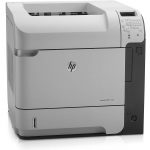
Wireless printing from your device is available in the library and computer labs. Follow these instructions to get set up today!
K Mobile App
K’s official mobile app includes campus news and events, course information for students, links to department websites, office phone numbers and locations, and more. Here’s how to get it.
Attend our First Year Forum on 9/18!
Is that email really from the Help Desk? Where can I use the Adobe Creative Suite? My professor wants me to get Microsoft Office. What do I do? Information Services wants to answer your questions and provide you with insight on navigating technology at K. Spend less time frustrated and more time taking advantage of everything the College can offer to give you the resources you need to succeed. We’re here to help!
Your attendance will count as a Group 5 First Year Forum
Date: Wednesday, September 18th, 2019
Time: 7:30 pm
Location: Mandelle, Olmsted Room
Welcome Class of 2023!
Welcome to Kalamazoo College!
The Information Services (IS) team welcomes you to K and wants to help get your technology in order for the new year! View all of the resources below to see how to get connected, access your accounts, and who to contact in need whether you’re a student, faculty, or staff member.
Remember, if you need tech help Information Services is here for you! Please feel free to connect by:
- Stopping by the Tech Help Desk (located in the Upjohn Library Commons)
- Sending us an email at HelpDesk.kzoo.edu or
- Giving us a call at 269.337.5800.
We’re open Monday – Friday: 8:00 a.m. – 5:00 p.m.
Student Tools
- Eduroam – How to connect to the campus wireless network
- Student Webmail – How to access your Exchange email messages, calendar, and contact information
- Office 365 – Your free access to Microsoft Word, Excel, PowerPoint, OneNote, and OneDrive
- Moodle – where most of your instructors will post course materials and grades throughout the quarter.
- Printing – Learn more standard, color, and 3D printing options available to you.
See the Student Tools page for more information on your resources to utilize throughout the year!
Who Should I Contact?
Help Desk
Email: HelpDesk@kzoo.edu
Contact us for:
- Computers
- Passwords
- Campus email
- Websites
- Wireless access
- Telephone service
- Hornet Hive
- Hornet HQ
Center for New Media Design
Phone: 269.337.7137
Email: Graphics@kzoo.edu
Contact us for:
- Graphic design
- Camera checkout
- Scanning
- Image editing
- Desktop publishing
- Large format printing
Video Production Studio and Editing
Phone: 269.337.7245
Email: KMedia@kzoo.edu
Booking Classrooms
To book a room, use the Room Reservation system or visit the Book a Room website
Facilities Coordinator
Phone: 269.337.7138
Email: BookaRoom@kzoo.edu
Educational Technology
Phone: 269.337.7415
Email: Josh.Moon@kzoo.edu
Contact Josh for:
- Integrating technology into teaching
- Moodle LMS
- 3D printing
- Virtual reality
Library Services
Visit the Kalamazoo College Library website!
Additional Library Points of Contact:
- Library Resources or Access Issues – library@kzoo.edu
- Circulation and Reserves 269.337.5731 or Circulation@kzoo.edu
- Acquisitions – Leslie.Burke@kzoo.edu
- Interlibrary Loan – ill@kzoo.edu
- Reference and Research Help – Reference@kzoo.edu
- College Archives – Archives@kzoo.edu
- Rare Book Room – RareBookRoom@kzoo.edu
Media Services
Phone: 269.337.7138
Email: KMedia@kzoo.edu
Contact us for:
- Audio/visual questions
- Scheduling computers
- Video
- And/or public address equipment for classes and events
- Video acquisitions
Audio Studio
Phone: 269.337.7138
Email: KMedia@kzoo.edu