
Current students can print to Canon printer/copiers from computer labs, library computers, residence halls, or from their own wireless-enabled devices.
For printing and copying related questions using the Canon printer/copiers (including questions on wireless printing) please connect during the Help Desk open hours in person, via email at HelpDesk@kzoo.edu, or call 269.337.5800.
How to Print
Students with a Kalamazoo College network account can print wirelessly through Find-Me printing or through PaperCut Mobility Print Service. Students may also print in person at printing locations across campus.
Find a Printer
- Dewing 2nd Floor
- Dow 2nd Floor
- Hicks Student Center
- Fine Arts
- Olds-Upton 3rd Floor
- Upjohn Library 1st, 2nd, and 3rd Floors
- Residence Halls
Cost
To cover paper and toner costs, printer maintenance, and to discourage waste, Information Services tracks the number of pages printed on campus laser printers. Students are charged against their print credit balance as follows:
| Paper/Ink | Price per page (whether printed on one or both sides) |
|---|---|
| Letter, Black & White | 10¢ |
| Letter, Color | 20¢ |
| Tabloid, Black & White | 20¢ |
| Tabloid, Color | 40¢ |
Copies are charged at the same rates.
For large format (poster) and specialty printing fees, please refer to Large Format Printing.
Print Credits
Print Credit Allotment
- Students are allotted $45 print credit per academic year.
Unused print credits from the Fall will roll over to Winter and Spring. Balances are cleared after the Spring term with a new allotment beginning each Fall.
Check My Printing Account
Students can access printing details, like credit balances and print history, by logging into papercut.kzoo.edu. Please note that PaperCut is accessible from on-campus only.
Adding Print Credits
Students may purchase print credits at the Mail and Copy Center via top-up cards in $1, $5, $10, $20 denominations consider how many credits you need before purchasing them; if you run out of credits, you will not be able to print.
Reimbursement and Refunds
Information Services cannot reimburse students for unused credits.
You may request a refund of print credits if a printout is unreadable, wrinkled, or caught in a paper jam. Bring the flawed pages to the Help Desk to receive a print credit refund.
Refunds will not be issued for non-printer errors such as blank pages at the end of a document, printing a document in error, or spelling mistakes.
Off Campus Study
Students studying off-campus will accumulate the number of credits outlined above. However, students studying off-campus for nine months will not receive extra print credits when they return in the Fall. All printing accounts are refreshed in the summer.
Copying
The Canon devices listed above can be used to copy printed materials. Copies are charged at the same rates per sheet as printouts.
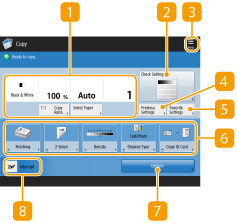
In addition, there are two standalone copiers in ULC on the first floor.
Bulk Copy Jobs
Need to print in bulk? Bulk copy jobs should be submitted to the Copy Center in the Hicks Student Center for significant cost savings.
Printing and Copying Assistance
For questions on printing and copying using the Canon printer/copiers, please visit the Help Desk in person during open hours, call the Help Desk at 269.337.5800, or email HelpDesk@kzoo.edu. After hours support for student/lab areas can be addressed by the Student Computer Consultant on staff.
For additional questions about print credits please connect with the Help Desk in person or via email at HelpDesk@kzoo.edu.