Using the same password for everything might be easy to remember, but it’s also easy to hack. Storing multiple passwords in one password manager is stronger and more secure.
Make the one password you have to remember the password to your vault. Store hundreds of different passwords in a password manager and make it easy on yourself!
It’s Cybersecurity Month! That means it’s that time of year again to help your roommate update their phone and let your Facebook friends know not to accept the request from your buddy’s “new” profile. Learn more about #CybersecurityAwarenessMonth and how you can #SecureOurWorld at CISA.gov
October is #CybersecurityAwarenessMonth! There are a lot of different ways that you can stay safe online. Learn more about what you can do to help #SecureOurWorld at StaySafeOnline.org
Automatic software updates work silently to protect your devices. Say goodbye to outdated software and embrace the power of the latest features, enhanced performance, and tightened security.
Hackers are always looking for vulnerabilities to exploit. Stay a step ahead by enabling automatic software updates. Think of them as an invisible shield that fortifies your devices against emerging risks. Stay safe, stay updated!
If you connect it, protect it. Outsmart cyber criminals by regularly updating your software.
If you install the latest updates for devices, software, and apps, not only are you getting the best security available, but you also ensure that you get access to the latest features and upgrades. However, you can only benefit if you update! Don’t fret, updating software is easy, and you can even make it automatic.
Hackers love easy targets, so don’t make it easy for them. Say no to password123 or qwerty. Opt for unique and complex passwords – let a password manager do the heavy lifting for you. It’s time to level up your security.
Did you know the average person has over 100 passwords online? Here’s an easy pro tip: a Password Manager can do all the managing of strong, unique passwords for each account.
Password Managers 1. Save time 2. Suggest strong passwords and 3. Identify weak passwords.
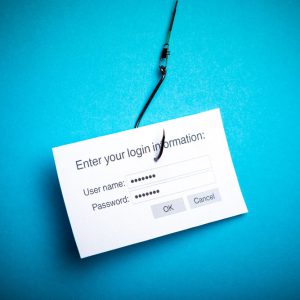
Phishing emails are like sneaky bait trying to reel you in. Learn how to spot them and report those fishy attempts to keep your inbox clean and your personal information safe.
Phishing is when criminals use fake emails, social media posts or direct messages with the goal of luring you to click on a bad link or download a malicious attachment. If you click on a phishing link or file, you can hand over your personal information to the cybercriminals. A phishing scheme can also install malware onto your device.
No need to fear your inbox, though. Fortunately, it’s easy to avoid a scam email, but only once you know what to look for. With some knowledge, you can outsmart the phishers every day.
Reporting a scam is your best line of defense against cyber incidents. Don’t hesitate to call out phishing attempts.
One of the best ways to take down cybercriminals is by reporting phishing attempts, and nowadays its easier than ever. If the email came to your K email address, report it to the Help Desk as quickly as possible. If you’re at home and the email came to your personal email address, do not click on any links (even the unsubscribe link) or reply back to the email. Most email programs and social media platforms allow you to report phishing attempts. But don’t keep that phishing message around – delete it ASAP. You can further protect yourself by blocking the sender from your email program, social media platform or phone.